




Guide to Enjoying Your Artwork as a High-Resolution Print or on a Monitor or Television
Thank you for purchasing a downloadable artwork from MUGOKUKAN.
Your downloaded high-resolution image can be printed using a home printer or submitted to a professional printing company or photo printing service to create a high-quality art print. You can also display it on a computer monitor, digital photo frame, tablet, or television and enjoy it as digital art.
This guide explains how to store your artwork file, choose an appropriate printing size, submit the data to a printing company, and display the artwork on a monitor or television.
1. Save Your Artwork File First
After downloading your purchased artwork, save the original file in a secure location.
Recommended storage locations include:
- A dedicated folder on your computer
- An external SSD or USB flash drive
- Cloud storage such as iCloud, Google Drive, or Dropbox
We recommend keeping the original file unedited as your master copy in case another copy is accidentally overwritten.
If you want to adjust the brightness, dimensions, or other settings, duplicate the original file and edit the duplicate.
【Suggested photograph】
The artwork file being saved on a computer, external SSD, and cloud storage
Suggested alternative text:
“A downloaded high-resolution freehand-style painting being saved on a computer and external storage device”
2. Enjoying Your Artwork as an Art Print
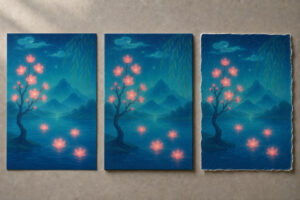 A high-resolution image can take on a variety of appearances depending on the paper or material on which it is printed.
Fine Art Paper
Fine art paper is a high-quality, textured paper designed for printing artwork. It reproduces restrained colors and delicate tonal variations well, making it an excellent choice for appreciating the serenity and lingering atmosphere of freehand-style paintings.
Photo Paper
Photo paper produces vibrant colors and clearly defined details. Available options include glossy, semi-gloss, and matte finishes.
Semi-gloss and matte papers, which reduce reflections, are particularly well suited to freehand-style paintings.
Canvas
Canvas has a fabric-like surface and gives a print the presence of a traditional painting. It can also be finished around the sides and displayed without a frame.
If you choose a gallery wrap, part of the outer edge of the image may be folded around the sides of the canvas. To avoid losing important parts of the composition, tell the printing company that you want the entire artwork to remain visible.
Japanese Washi Paper
Washi has a soft appearance and natural texture that complements freehand-style paintings. Color absorption and softness vary depending on the type of washi, so requesting a small proof before the final print is advisable.
Acrylic, Aluminum Composite Panels, and Other Materials
These materials are suitable for clean, contemporary displays and work well in hotels, shops, offices, and similar spaces.
Gloss and color appearance can vary significantly between materials. We recommend examining samples provided by the printing company before placing your order.
【Suggested photograph】
A comparison of the same artwork printed on fine art paper, canvas, and Japanese washi paper
Suggested alternative text:
“A comparison of a freehand-style painting printed on fine art paper, canvas, and Japanese washi paper”
3. Choosing a Printing Size
The maximum suitable printing size depends on the image’s pixel dimensions and the resolution used for printing.
As a general guide, approximately 300 dpi is suitable for a high-resolution print viewed at close range. For a larger work viewed from farther away, 150–240 dpi may still produce an attractive result.
How to Calculate Printing Size
Use the following formula to calculate the printable dimensions:
Number of pixels ÷ dpi × 2.54 = printing size in centimeters
For example, an image that is 6,000 pixels wide and printed at 300 dpi would have the following width:
6,000 ÷ 300 × 2.54 = approximately 50.8 cm
If the same image is printed at 200 dpi, it will be approximately 76.2 cm wide.
The ideal size also depends on the artwork’s details, the printing method, the paper, and the intended viewing distance. If you would like a large print, provide the original file to the printing company and ask them to recommend an appropriate size.
Avoid Excessive Image Enlargement
Simply increasing the number of pixels in image-editing software does not recreate details that were not present in the original file. Excessive enlargement may cause blurred edges or visible image noise.
If enlargement is necessary, consult the printing company or use a specialist service that offers high-quality image enlargement.
4. Aspect Ratio and Cropping
If the aspect ratio of the printing paper differs from that of the image, one of the following adjustments will be necessary:
- Crop the top and bottom or the left and right sides of the artwork
- Keep the complete artwork and add margins around it
- Trim the paper to match the artwork’s aspect ratio
To preserve the original composition, we generally recommend printing the complete artwork without cropping it.
When submitting your order to a printing company, you can provide the following instruction:
Please print the complete image without cropping the top, bottom, left, or right sides. If the aspect ratio of the paper differs from that of the image, please add margins as necessary rather than cropping the artwork.
If the print will be framed, a mat board can be used to create balanced margins. Consult a framing shop or printing company about the final appearance, including the surrounding space.
5. What to Check Before Submitting the File
Before sending your artwork data to a printing company, please check the following points.
Use the Original High-Resolution File
Images sent through email or social media may be compressed automatically. Always use the original high-resolution file downloaded at the time of purchase.
Screenshots and reduced-size images displayed on a web page are not suitable for high-quality printing.
Check the File Format
Confirm the format of the downloaded file and submit the original file to the printing company.
If the printing company requests a different format, ask whether conversion could result in reduced image quality or changes in color.
Do Not Change the Color Settings Unnecessarily
Unless you have specialist knowledge, we recommend submitting the original data without converting its color profile or applying excessive color correction.
Printing companies use different printers, inks, papers, and color-management procedures. Consult the printing company about any conversions that may be required.
Request a Small Proof Print
For a large-format print or an expensive printing material, consider requesting a color proof or reduced-size test print before proceeding with the final version.
Black, deep blue, red, gold-colored areas, and subtle gradients may appear different on a printed surface than they do on a screen.
6. What to Tell the Printing Company
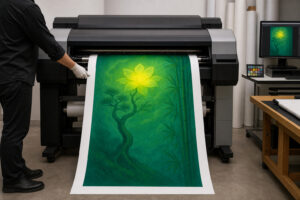 Providing the following information will help the printing company process your order smoothly.
Basic Order Information
- That the artwork is being printed for personal viewing and display
- Your desired finished size
- Your preferred paper or printing material
- Portrait or landscape orientation
- Whether the entire artwork must remain visible or cropping is permitted
- Whether you want margins
- Whether framing is required
- Whether you would like a color proof or test print
- Your preferred delivery method and deadline
Example Message to a Printing Company
I would like to print a digital artwork for personal viewing and display.
I will provide the high-resolution image file that I purchased. Please print the complete artwork without cropping it. If the aspect ratio of the paper differs from that of the image, please add margins as necessary rather than cutting off any part of the artwork.
My preferred finished size is approximately ○○ cm × ○○ cm.
I would like to use ○○ paper/material.
I would like the finished print to retain the colors and tonal gradations of the original image as closely as possible. Before printing, please check the file resolution and recommended printing size. If there are any concerns, please contact me before producing the final print.
If possible, I would also like to request a color proof or small test print.
How to Send the Data
Large image files may be too big to attach directly to an email. In that case, you can use one of the following methods:
- The printing company’s online file-submission page
- A cloud-storage sharing link
- A file-transfer service
- A USB flash drive
- Direct delivery to the printing company’s premises
If you use a sharing link, confirm that the printing company has permission to download the file.
Avoid making the file publicly accessible. Share it only with the printing company and only for the period necessary to complete the printing work.
7. If the Printing Company Requests Proof of Permission
Some printing companies may ask you to confirm that you have permission to print copyrighted artwork.
If this happens, provide your order confirmation email, receipt, product page, or the terms of use for the downloadable product. Explain that you purchased the artwork legitimately and want to print it for personal viewing.
Permission to print an artwork for display in your home, private workspace, or another authorized location does not necessarily include permission to sell it, redistribute it, or provide the image data to third parties. Always use the artwork within the scope specified on the product page and in the applicable terms of use.
We recommend asking the printing company to use the data only as necessary to complete the printing work and not to retain or reuse it after the order has been completed.
8. Framing and Displaying Your Print
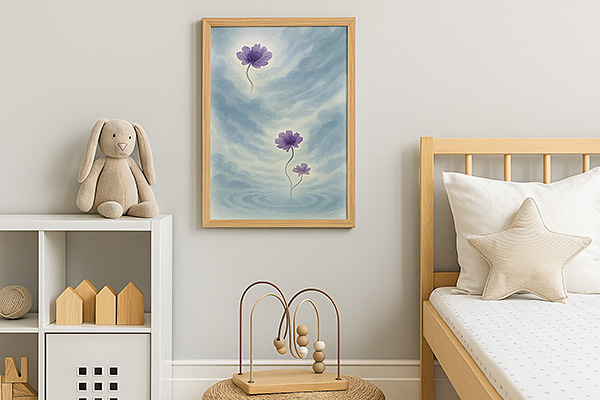 Framing your print can improve both its preservation and its visual impact.
Tips for Choosing a Frame
- Choose a restrained frame that does not compete with the colors of the artwork
- Select white, black, natural wood, dark brown, or another color suited to the room
- Add a mat board if appropriate
- Prevent the artwork from touching the glass directly
- Display it in a location protected from strong sunlight and moisture
Avoid displaying the artwork in direct sunlight for extended periods or in places exposed to high temperatures, high humidity, or condensation.
For long-term display, consult a framing shop about UV-protective acrylic or glass.
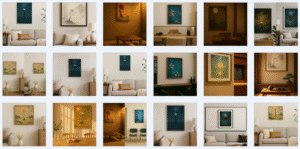
【Suggested photograph】
A framed freehand-style painting displayed in a living room, entrance hall, or study
Suggested alternative text:
“A framed freehand-style painting displayed in a calm interior”
9. Enjoying the Artwork on a Monitor or Television
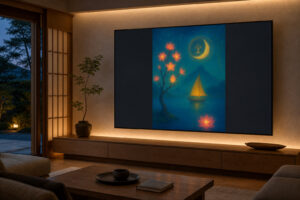 A high-resolution image can also be displayed on a monitor, television, tablet, or digital photo frame.
Computer Monitor
Save the image on your computer and open it using your standard image-viewing application. Full-screen mode allows you to appreciate the details without distraction.
If you set the artwork as your desktop wallpaper, icons and text may interfere with viewing. A dedicated display screen or full-screen image viewer may provide a better experience.
Television
Possible ways to display the artwork on a television include:
- Connecting a USB flash drive to the television
- Connecting a computer using an HDMI cable
- Sharing the screen from a smartphone or tablet
- Using Apple TV, Chromecast, or a similar device
- Using a cloud photo application supported by the television
Supported image formats, USB-drive formats, and maximum image dimensions vary between televisions. Consult your television’s instruction manual for details.
Digital Photo Frame
You can register several artworks and display them in rotation at set intervals.
For quiet and contemplative viewing, we recommend using longer display intervals and avoiding dramatic transition effects.
【Suggested photograph】
A freehand-style painting displayed full-screen on a large television or digital display
Suggested alternative text:
“A high-resolution freehand-style painting displayed on a large television in a living room”
10. Settings for an Attractive Screen Display
The default settings on a television or monitor may emphasize colors more strongly than intended.
To enjoy the artwork’s original, restrained tones, consider checking the following settings:
- Use a picture mode such as “Standard,” “Movie,” or “Cinema”
- Avoid highly saturated modes such as “Vivid” or “Dynamic”
- Do not set the sharpness too high
- Do not set the brightness excessively high
- Compare the results with automatic picture enhancement or AI enhancement enabled and disabled
- Set the aspect ratio to “Original,” “Fit to Screen,” or an equivalent setting
Using a television’s zoom mode may crop the top, bottom, left, or right side of the artwork. To display the complete composition, choose a setting that fits the entire image within the screen.
A screen emits light, so the artwork will usually appear brighter and more vivid than it does on printed paper. It is not possible to make the colors of a screen display and a physical print completely identical.
11. Displaying the Artwork in a Shop, Office, or Other Facility
If you would like to display the artwork in a shop, office, waiting room, hotel, restaurant, or another non-residential location, please review the terms of use for the product you purchased.
A product licensed for personal use may not include display in a commercial or public space, promotional use, or use on digital signage.
Please contact us in advance if you would like to use the artwork for any of the following:
- Permanent display in a shop or facility
- Display on digital signage
- Use in advertisements, websites, social media, or videos
- Use on product packaging or printed promotional materials
- Use in materials created for a third party
- Use at multiple shops or locations
12. Important Conditions of Use
Purchasing a downloadable artwork does not transfer its copyright to the purchaser.
Do not engage in any of the following activities beyond the scope permitted by the terms applicable to the product:
- Selling or reselling the image data
- Distributing or transferring the image data
- Publishing the original image data online
- Registering or selling the artwork as an NFT or another digital product
- Falsely claiming authorship of the artwork
- Producing or selling unauthorized merchandise featuring the artwork
- Sharing the data in a form that allows third parties to reuse it
- Providing or registering the artwork as AI training data
- Using the artwork commercially beyond the permitted terms
If you share a photograph of the displayed artwork on social media, avoid publishing an image that is sufficiently large and clear for a third party to reuse as the original artwork.
For detailed information about permitted uses, please review the product page and applicable terms of use.
13. Frequently Asked Questions
Can I print the artwork using my home printer?
Yes. Confirm the paper sizes and image formats supported by your printer. Select a high-quality printing setting and try a suitable paper such as photo paper or matte paper.
Can I print it at a convenience store?
Printing may be possible if the service supports the image format and paper size. However, the paper, colors, and tonal reproduction may differ from those of a specialist fine art printing service.
Can I crop the image to fit A4 or A3 paper?
Even for a print intended for personal viewing, we recommend preserving the complete artwork and using margins to fit the paper size. Review the product’s terms of use before making substantial crops or alterations that could affect the original composition.
The printed image looks darker than it does on my screen.
A screen emits light, while a physical print is viewed through reflected ambient light. As a result, prints generally appear darker than images displayed on a screen. Examine the print in a well-lit location and request a color proof from the printing company if necessary.
The printed colors do not look exactly the same as the colors on my screen.
Color appearance varies between monitors, televisions, smartphones, printing machines, inks, and papers. An exact match cannot be guaranteed. If color accuracy is particularly important, consult a printing company that offers color management and request a proof print.
What size should I choose?
The suitable size depends on the image’s pixel dimensions, intended viewing distance, paper, and printing method. For a large-format print, provide the original file to the printing company and ask them to recommend an appropriate size.
May I give the image data to a printing company?
If necessary to print a legitimately purchased artwork within the permitted scope, you may provide the data to the company carrying out the printing work. Ask the company not to use the data for any other purpose and to delete it after completing the work.
14. If You Need Help with Printing or Display
Including the following information in your inquiry will help us review the issue:
- The title of the artwork you purchased
- Your order number
- The device you are using
- Your preferred printing size
- Your preferred paper or material
- The printing company you plan to use
- A description of the problem
- A photograph of the error screen or printing result
For questions about a printing company’s equipment, color settings, prices, or production schedule, please contact that company directly.
We hope you enjoy your downloaded freehand-style painting as a physical art print that reveals the character of the chosen paper, or as digital art whose details are illuminated on a screen, in whichever form best suits your space.